Your restaurant.
Scannable.
Ready to serve.
Turn every table into a simple ordering flow. Guests scan a QR code, browse the menu, and place orders directly from their phone without downloading an app.
Built for restaurant teams
Everything you need to run a digital ordering restaurant — simply and securely.
Each restaurant's data is isolated with row-level security on Supabase.
Incoming orders appear instantly in your dashboard.
Customers scan a QR code and order from their phone browser.
Payments and order data are handled securely.
Track orders and revenue from one place.
Create your restaurant and go live in minutes.
Everything you need to digitize your restaurant
Powerful features designed for real restaurant operations, without adding friction for your team or your guests.
Smart QR Ordering
Customers scan a table QR code to browse your menu and order from their phones — no app required.
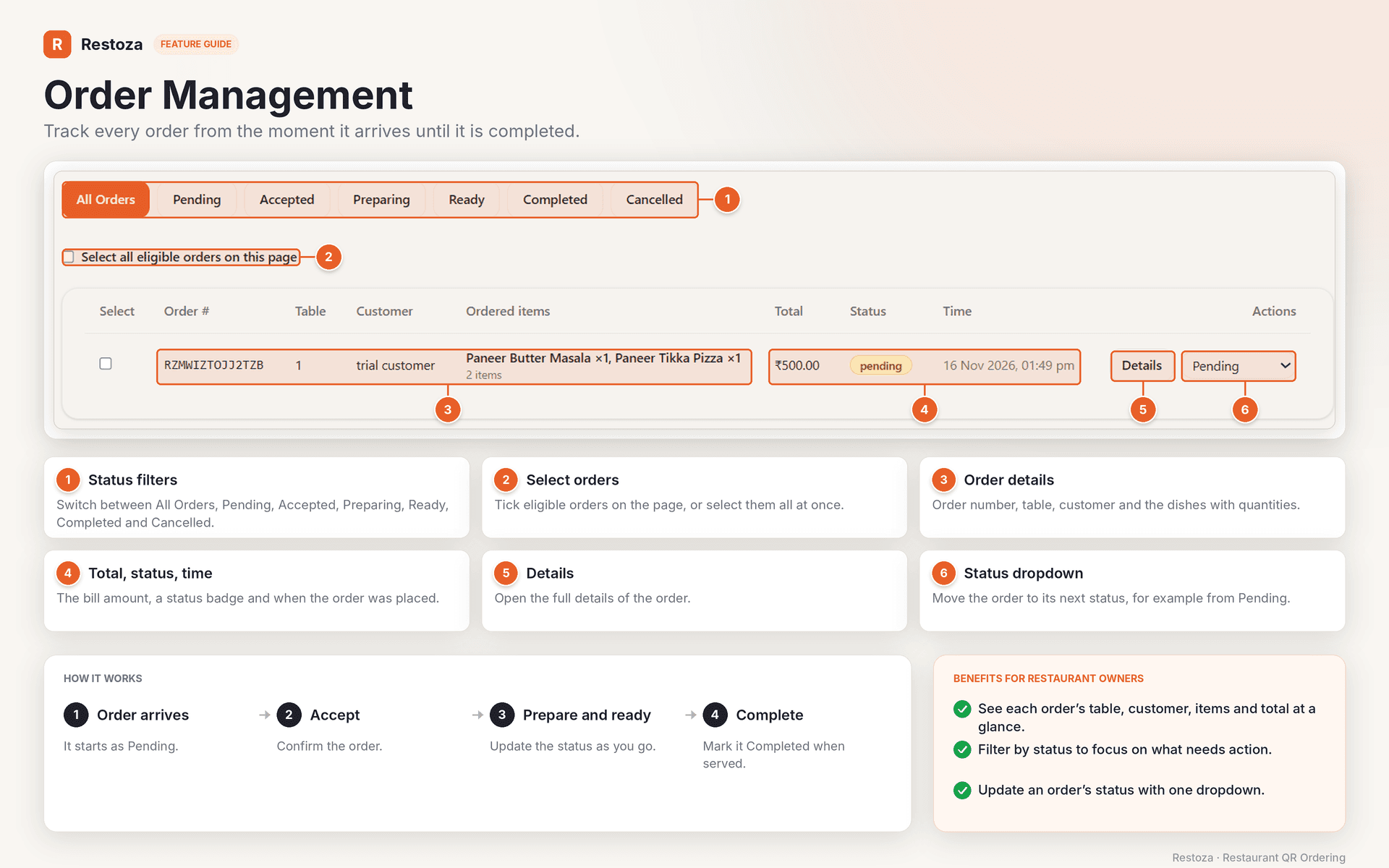
Explore Feature→Order Management
Receive, accept, prepare, and complete orders with live status updates in one dashboard.
Explore Feature→Table & QR Management
Create tables, generate unique QR codes for each table, and manage table status easily.
Explore Feature→Digital Menu Designer
Add categories, dishes, photos, prices, and availability to build your branded digital menu.
Explore Feature→How Restoza works
From restaurant setup to customer orders, manage your digital restaurant in five simple steps.
Create your restaurant
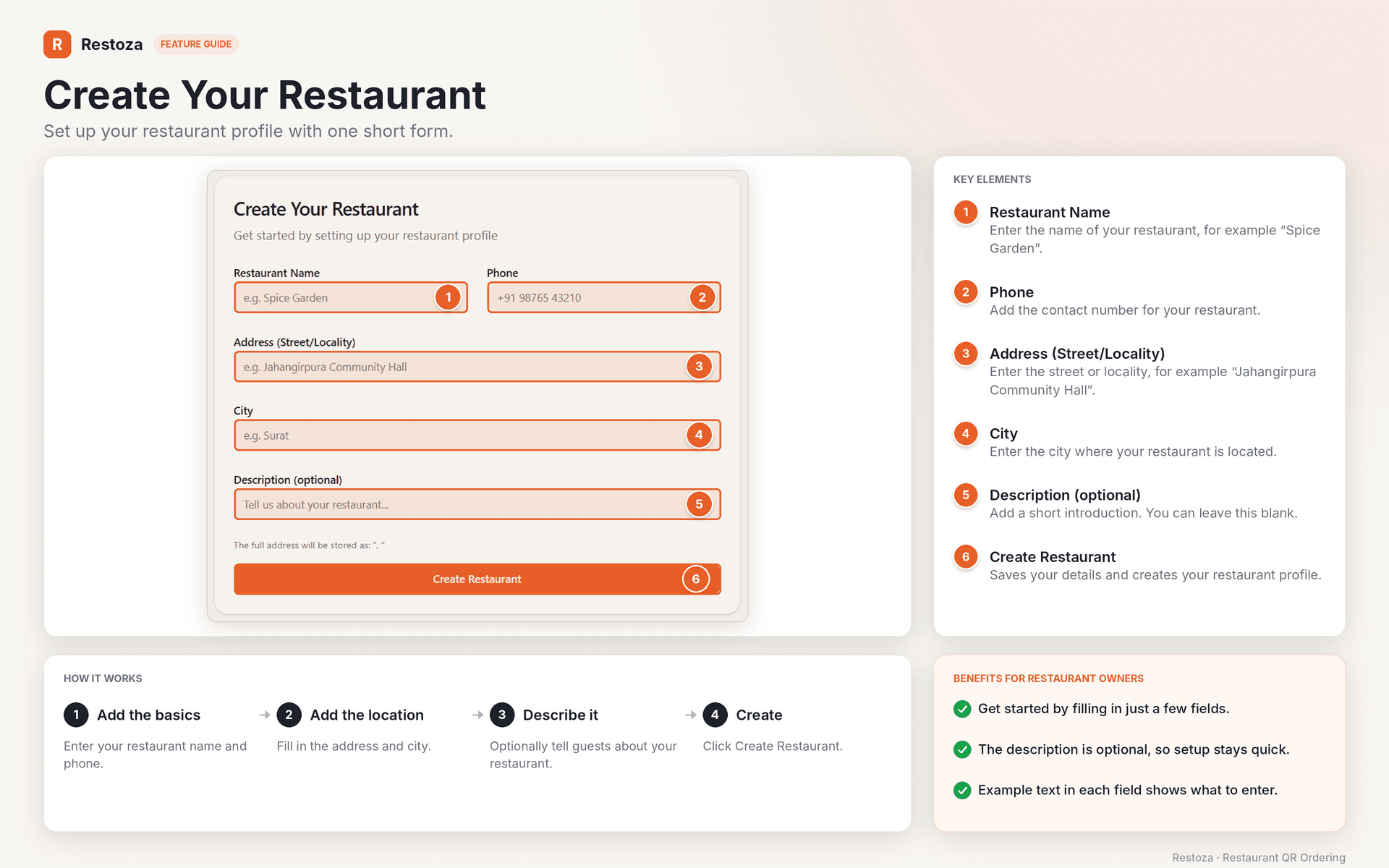
A restaurant owner starts by creating their restaurant profile from the Restoza onboarding flow. They add the restaurant name, phone number, address and city, and can include an optional description before creating the profile.
- Restaurant name
- Phone number
- Street/locality address
- City
- Optional description
Add menu items using CSV bulk upload
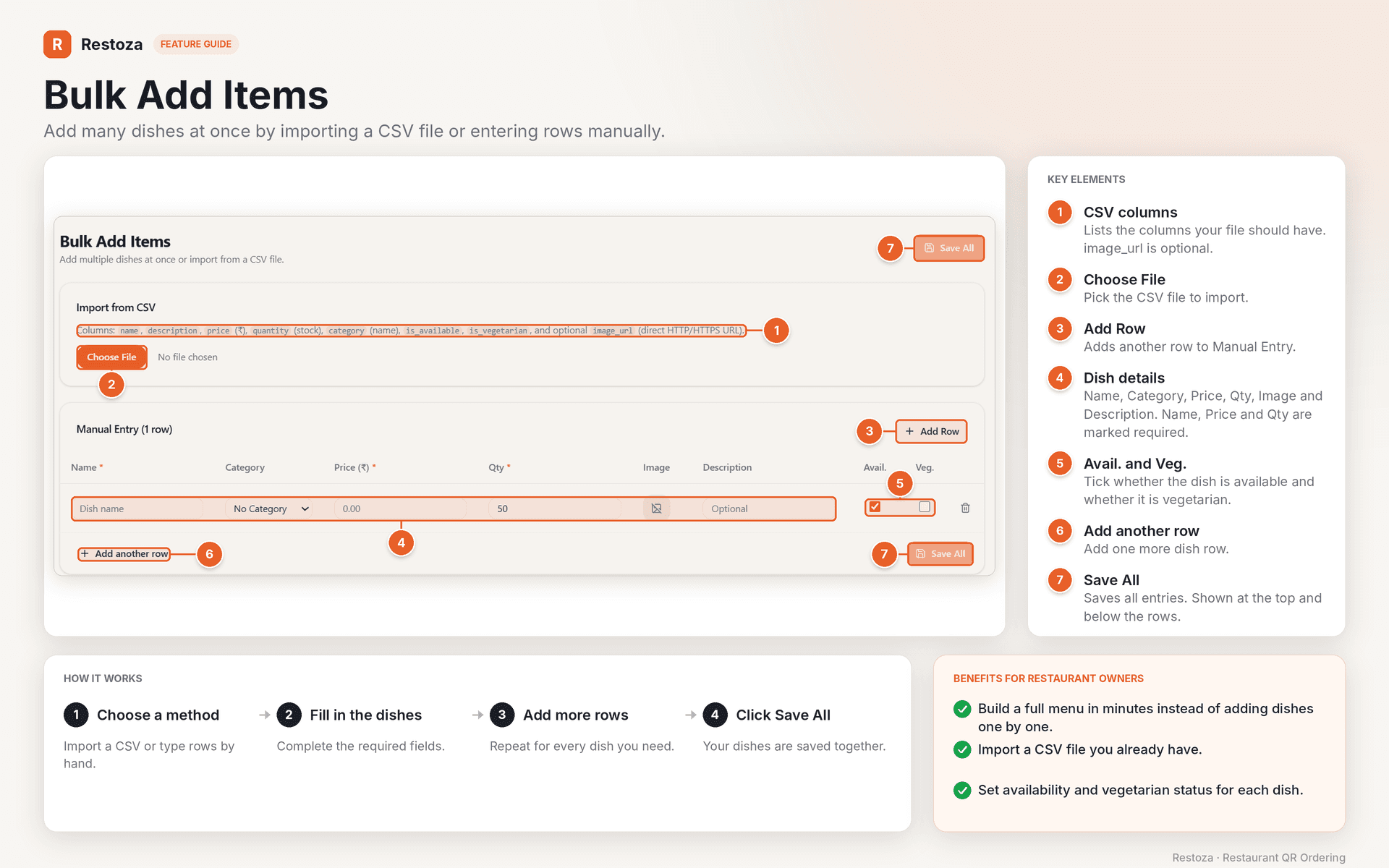
Restoza supports two ways to add a menu: manual entry or CSV import. The bulk add page accepts the natural spreadsheet columns used by the app: name, description, price, quantity, category, is_available, is_vegetarian, and optional image_url.
- Manual item entry
- CSV template import
- Category mapping
- Price and stock values
- Saved to the live menu
Create tables and generate QR codes
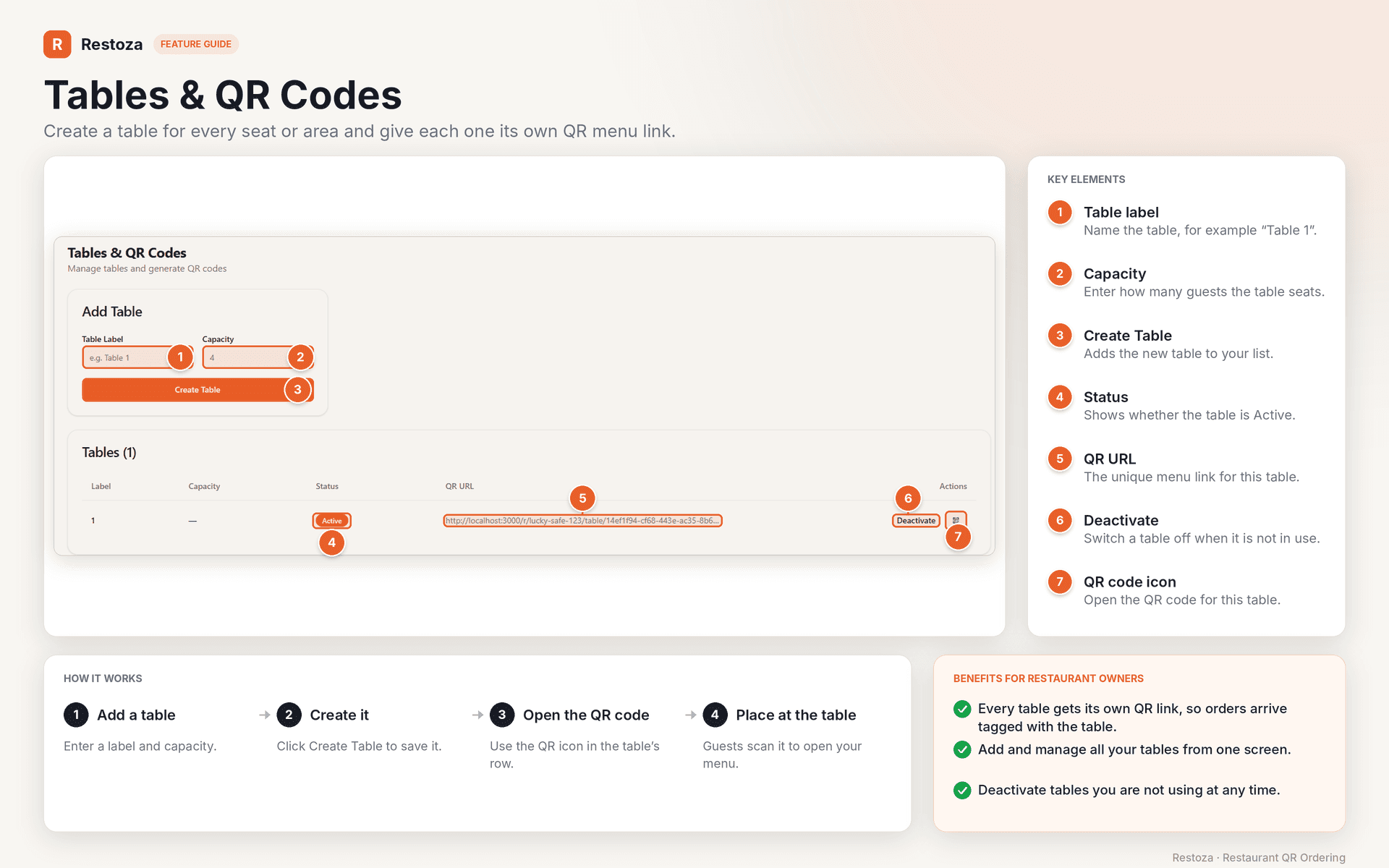
Owners create table labels and optional capacities in the Tables & QR Codes section. Each table gets its own QR URL, which can be opened and printed or displayed on the table so guests can scan it and open the restaurant menu.
- Table label
- Optional capacity
- Active/inactive status
- Unique QR URL
- Print or display at table
Customer scans QR and places an order
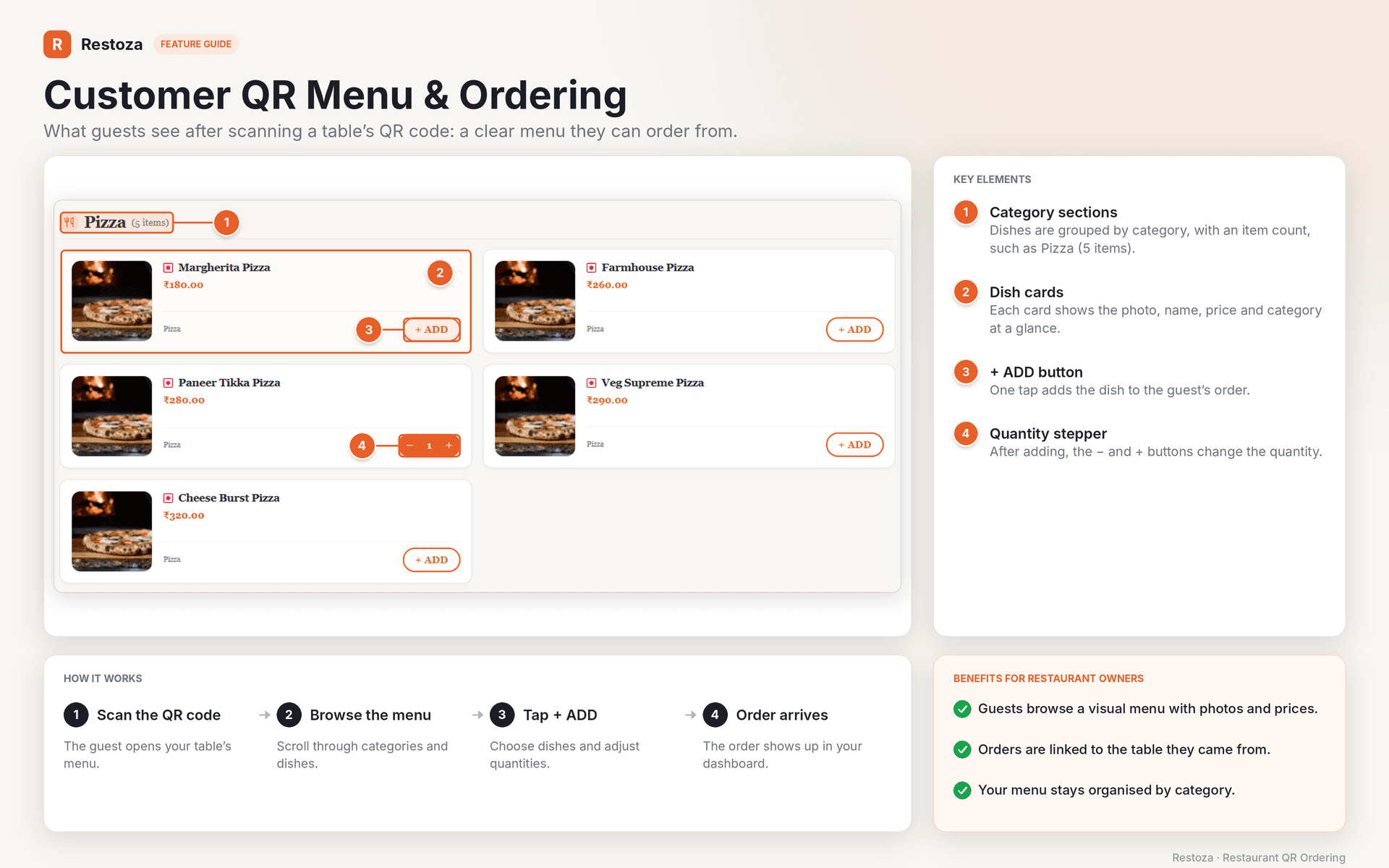
When a guest scans a table QR code, the restaurant’s menu opens on their phone. They browse categories, choose dishes, adjust quantities, add items to the cart, enter their full name and mobile number, and place the order. The app validates the required customer details before checkout.
- Table-specific menu opens
- Browse categories and dishes
- Add items to cart
- Enter name and mobile
- Place the order
Receive and manage orders in the dashboard
Each new order appears in the restaurant dashboard with the table number, customer name, ordered items, quantities and total. Owners can filter by status, accept orders, update preparation and ready states, and complete orders from the live order management screen.
- New orders appear instantly
- Table and order details included
- Status updates from pending to ready
- Total bill visible
- Order actions in dashboard
Outlet Types
One Platform. Every Type of Restaurant.
Whether you run a fine dining restaurant, a neighbourhood cafe, a quick-service outlet or a growing restaurant chain, Restoza helps you manage your operations effortlessly.
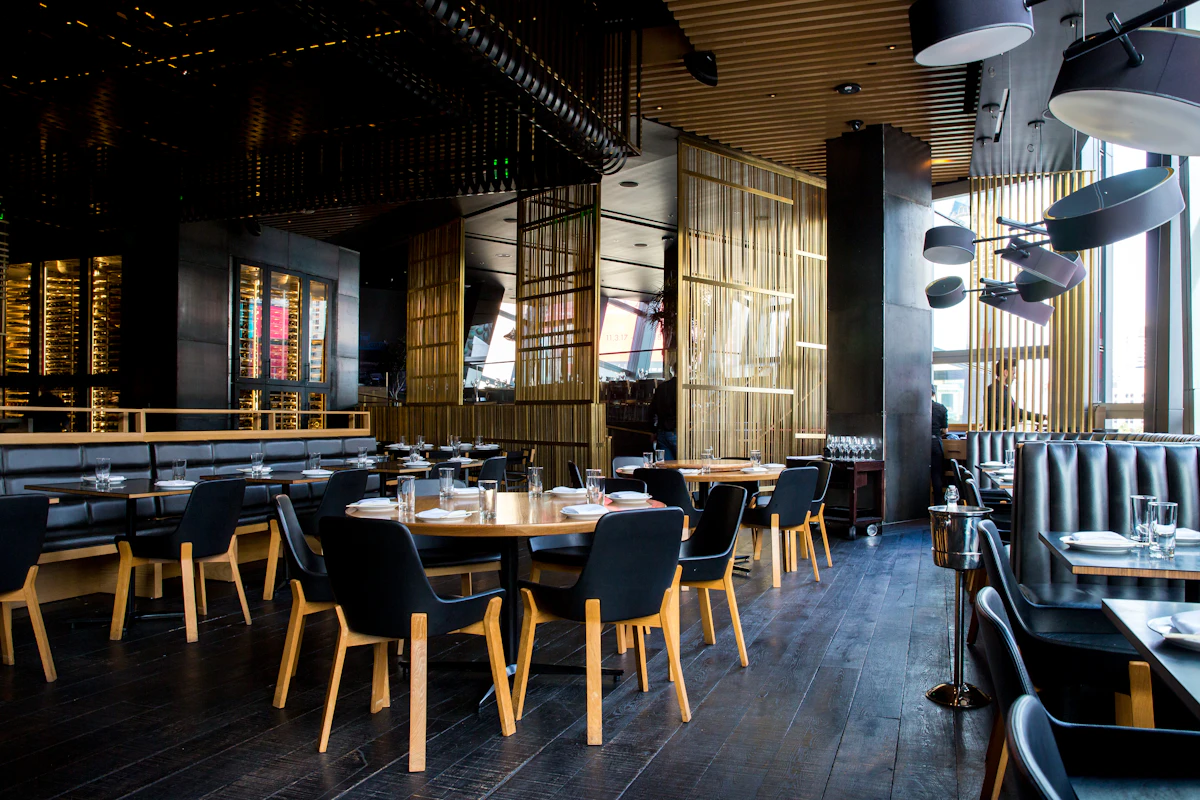
Fine Dine
Elegant dining experiences with refined service, premium ambiance, and signature culinary moments.
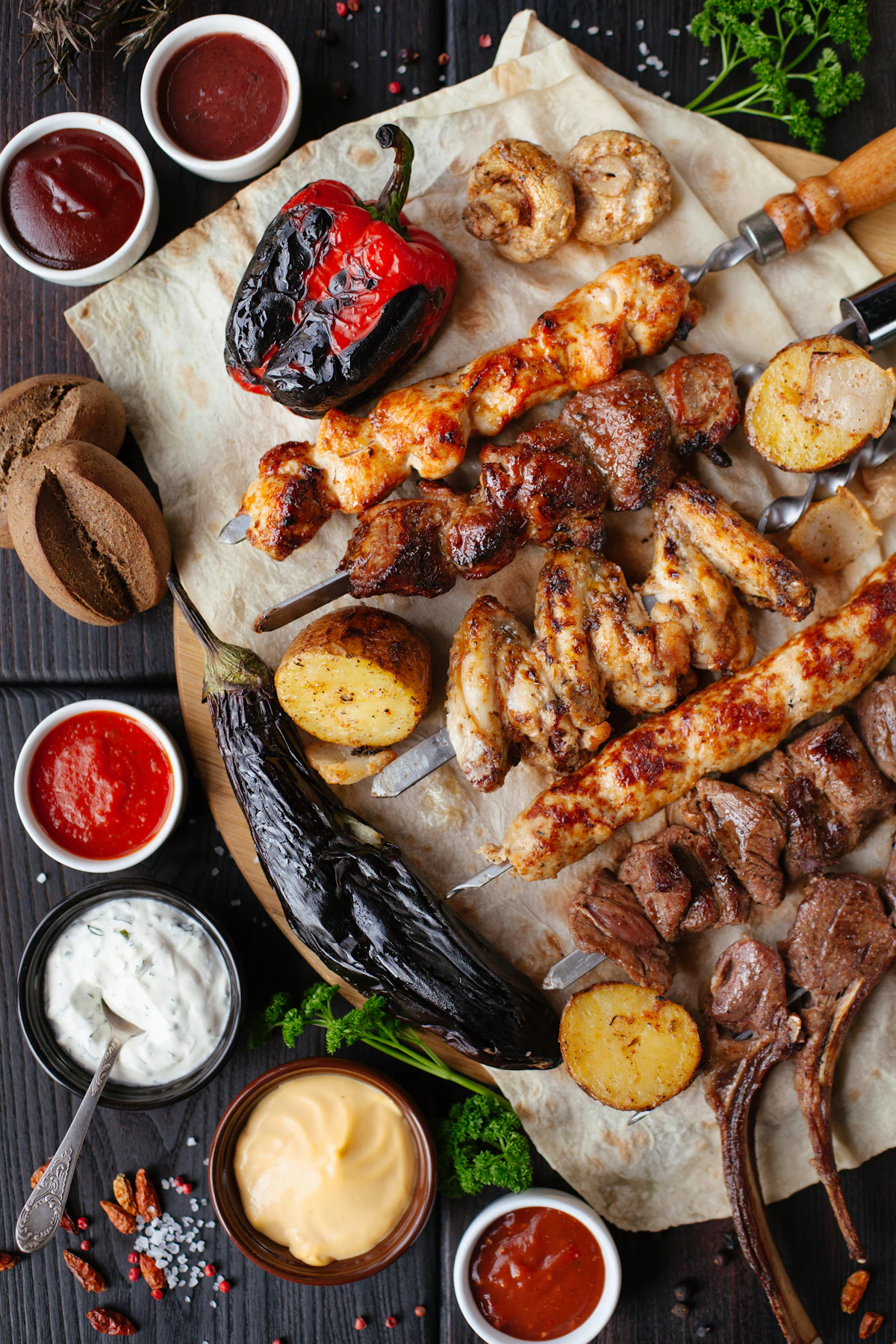
QSR
Fast, reliable service for high-volume turnovers and quick customer satisfaction.

Cafe
Comfortable spaces for coffee lovers, casual meetings, and everyday repeat visits.
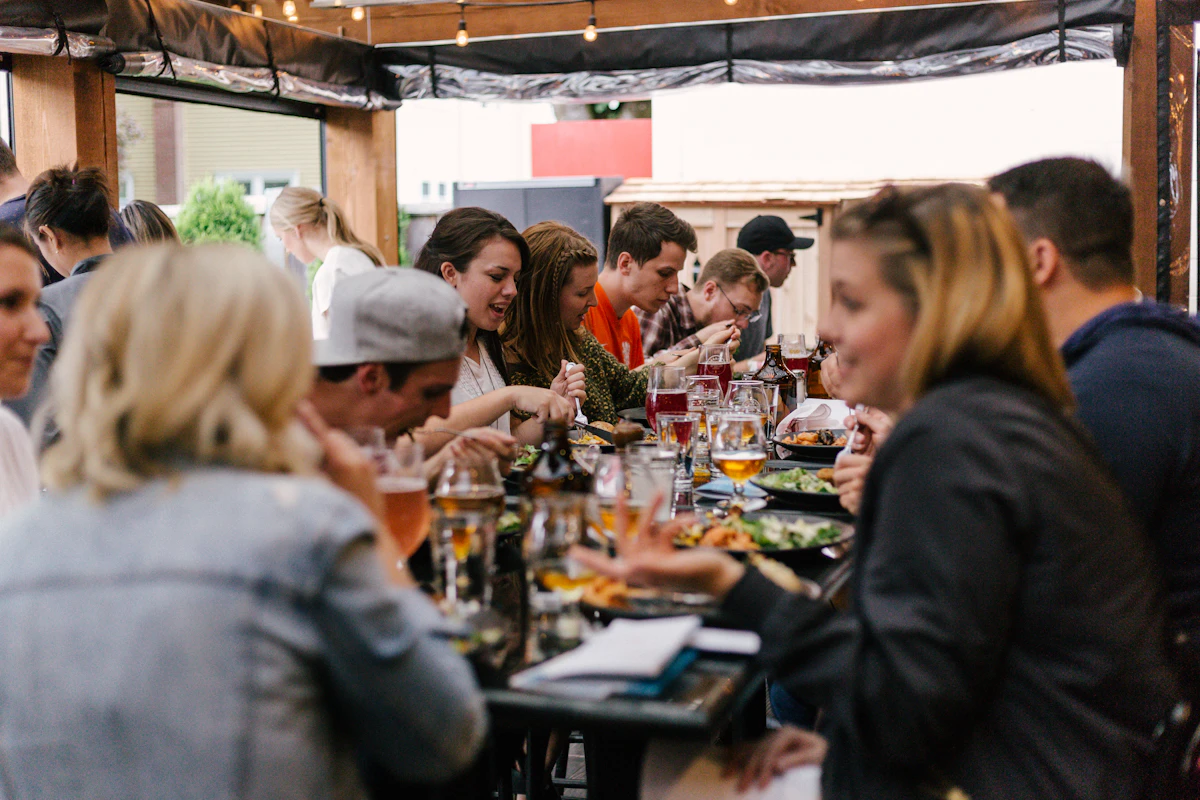
Food Court
Multi-vendor ordering workflows built for speed, variety, and smooth peak-hour operations.

Cloud Kitchen
Streamlined delivery-first kitchens with lean operations and high-order accuracy.

Ice Cream & Desserts
Fresh, indulgent treats supported by fast service and repeat customer retention.

Bakery
Fresh-baked excellence with efficient baking cycles, pickup orders, and loyalty-building service.

Bar & Brewery
High-energy customer experiences with smooth service, tabs, and event-friendly workflows.

Pizzeria
Fast-moving pizza operations that depend on consistent quality, speed, and order accuracy.

Large Chain
Multi-location consistency across teams, menus, and customer experiences at scale.
See Restoza in action
Real interfaces for managing your restaurant — from the dashboard to the customer menu.
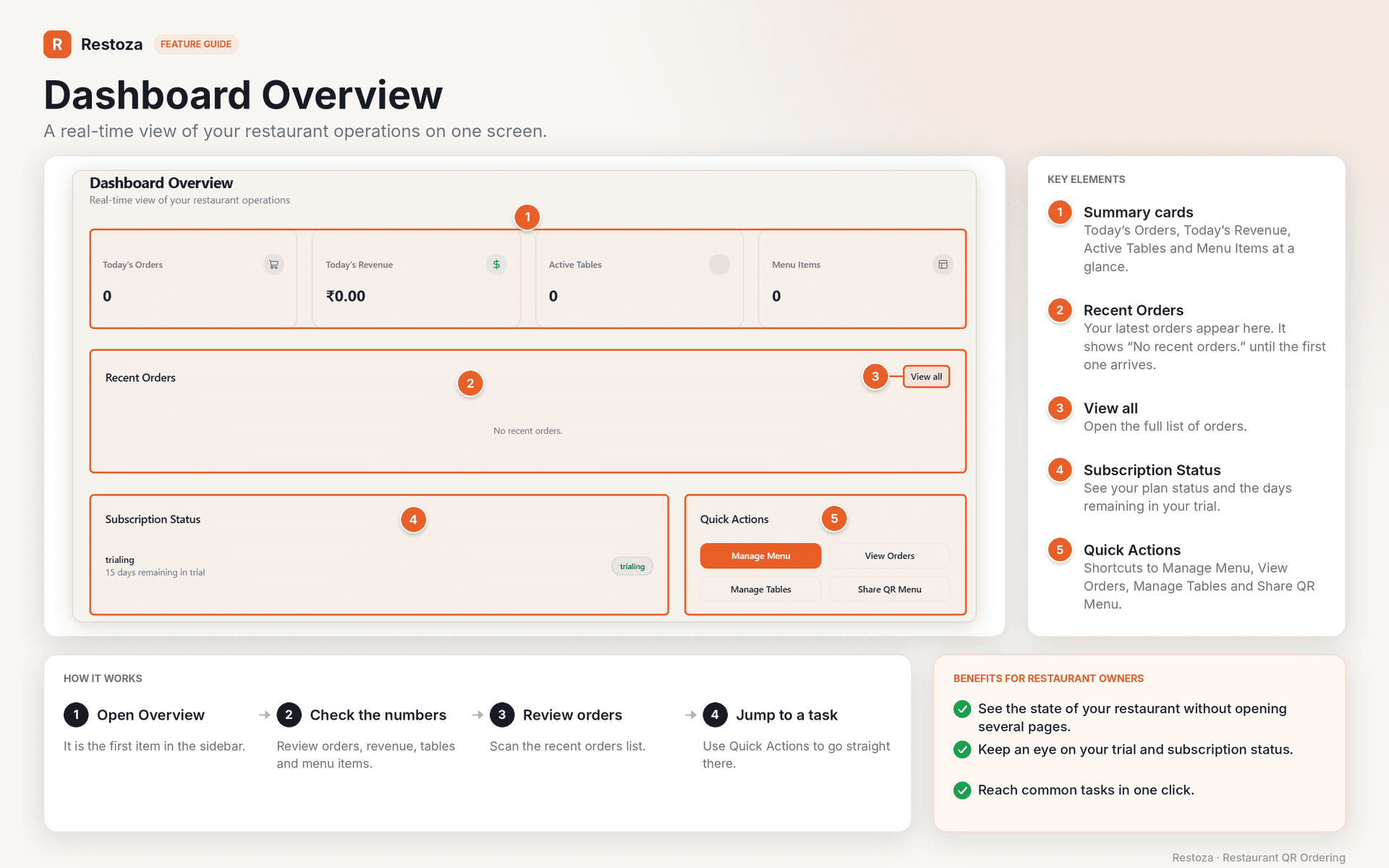
Restaurant Dashboard
Overview of orders, sales, tables, and subscription at a glance.
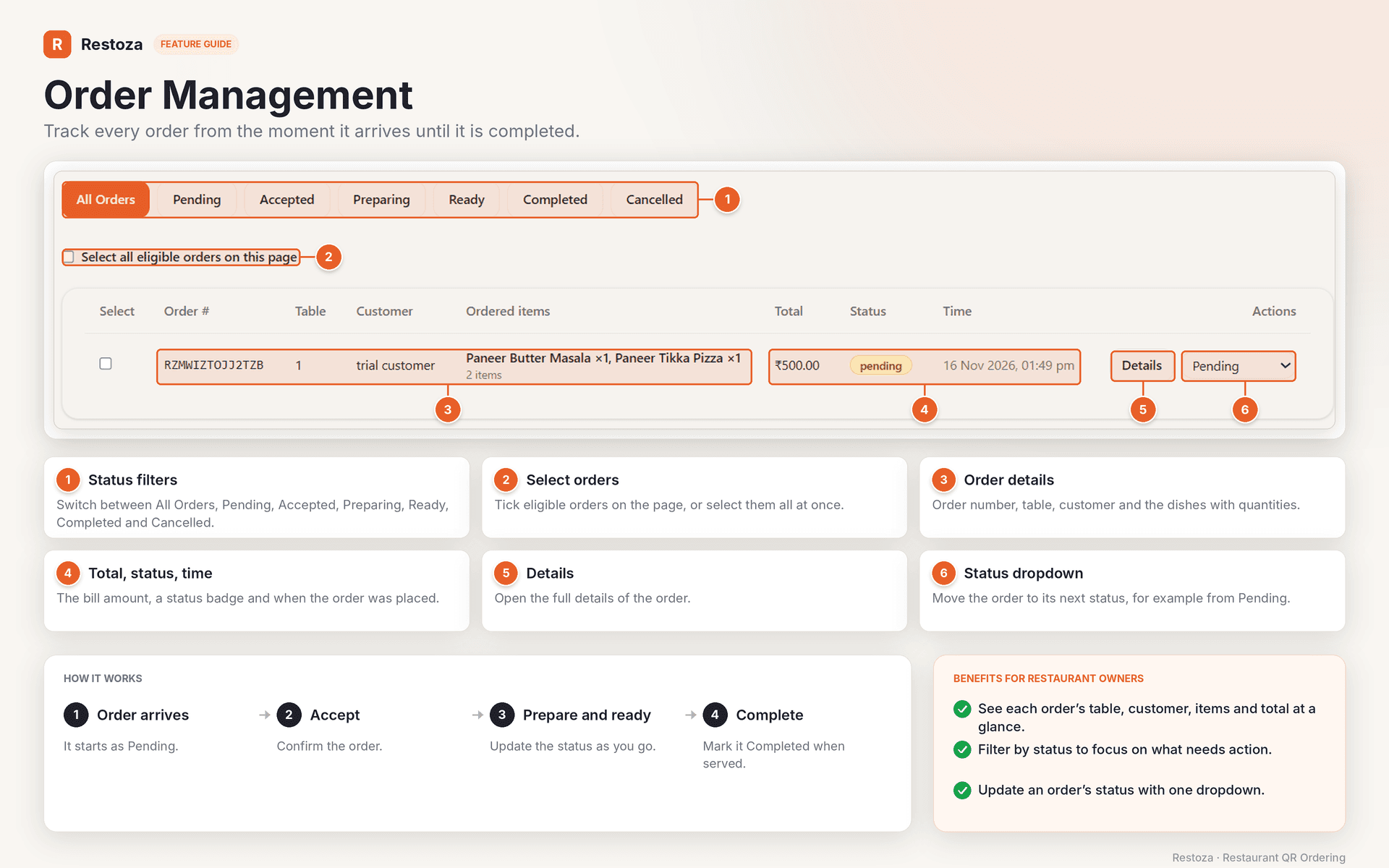
Order Management
Receive, accept, prepare, and complete orders with live status updates.
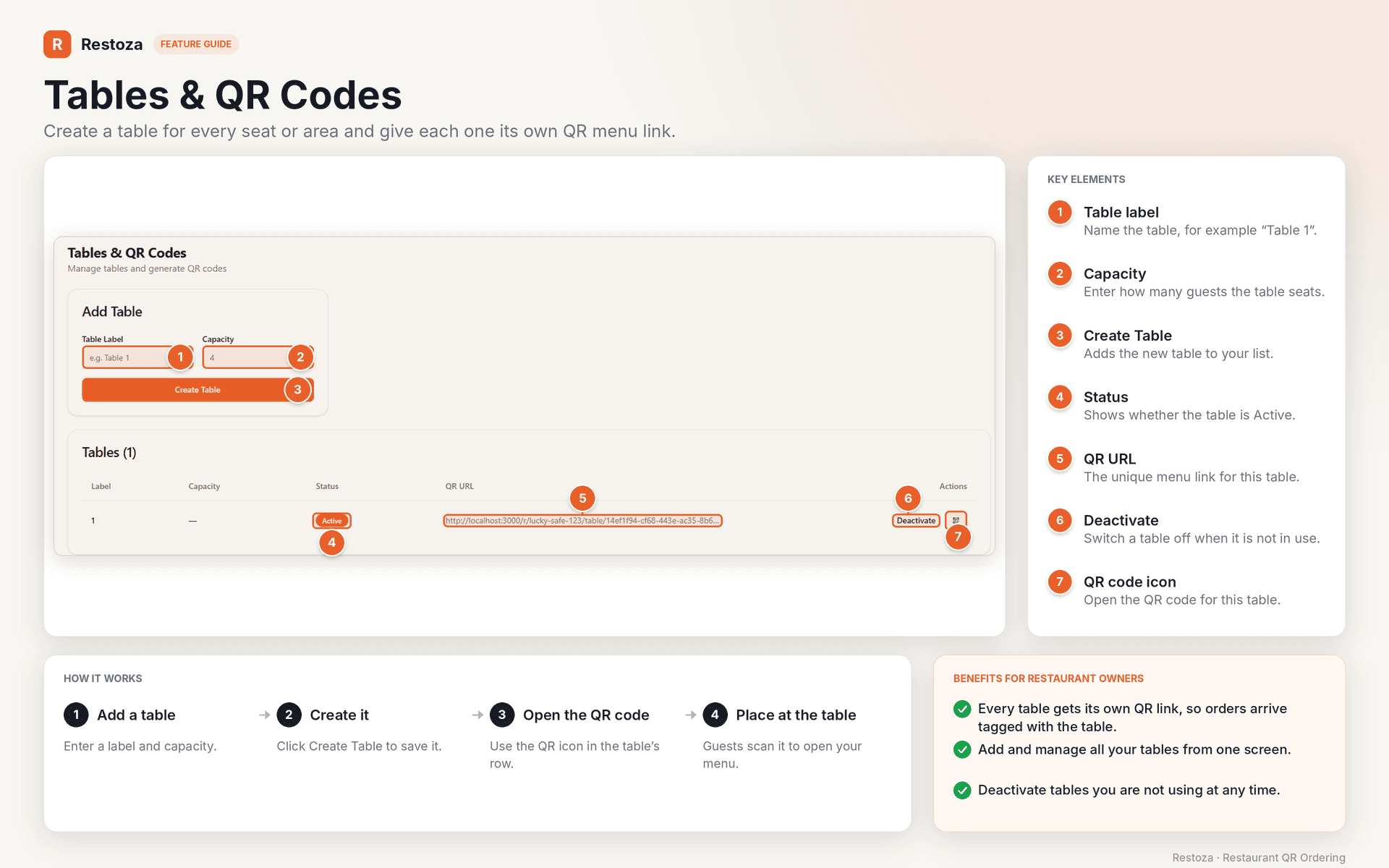
Table Management
Create tables, generate QR codes, and manage table status.
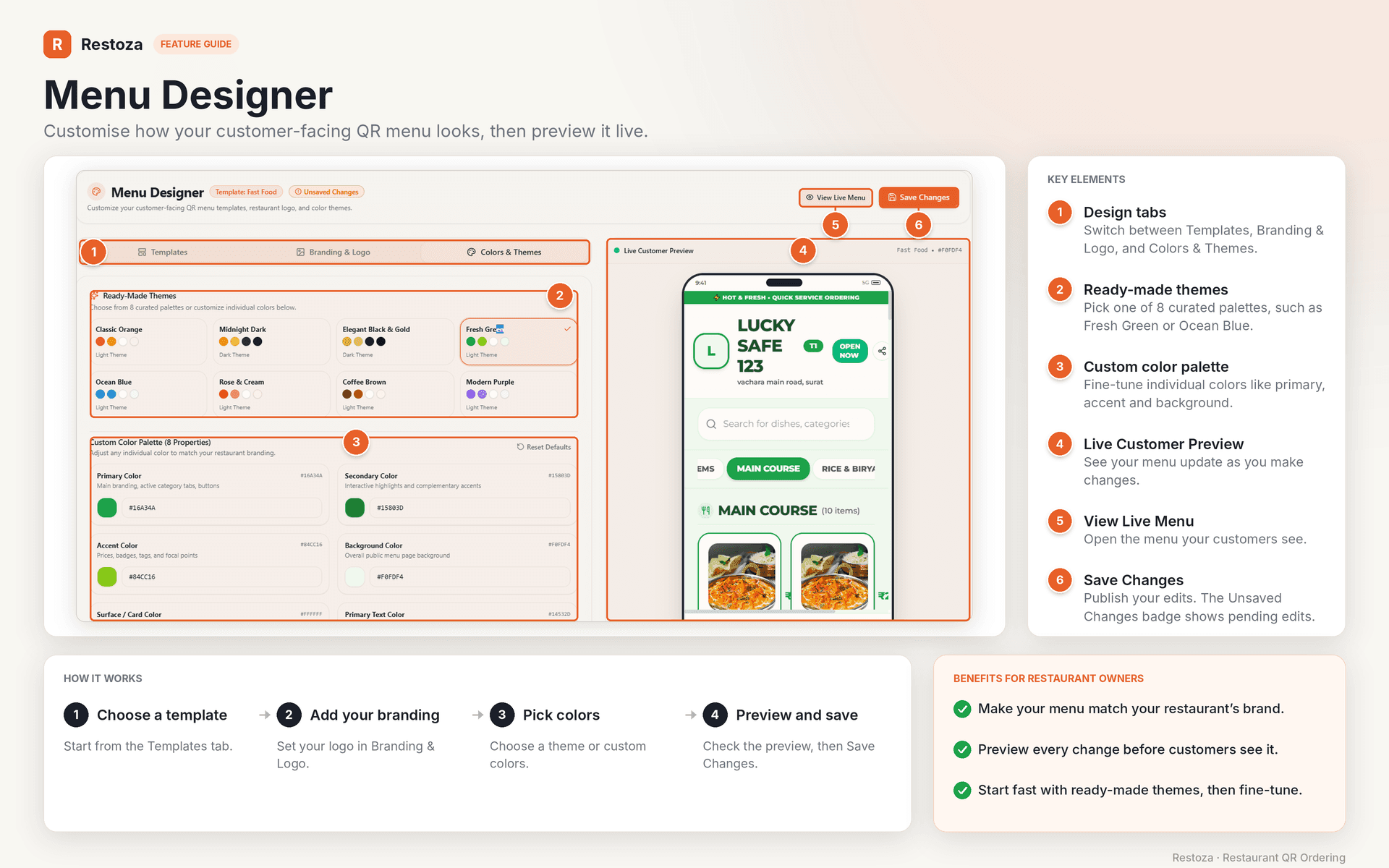
Digital Menu Designer
Add categories, dishes, photos, prices, and branding.
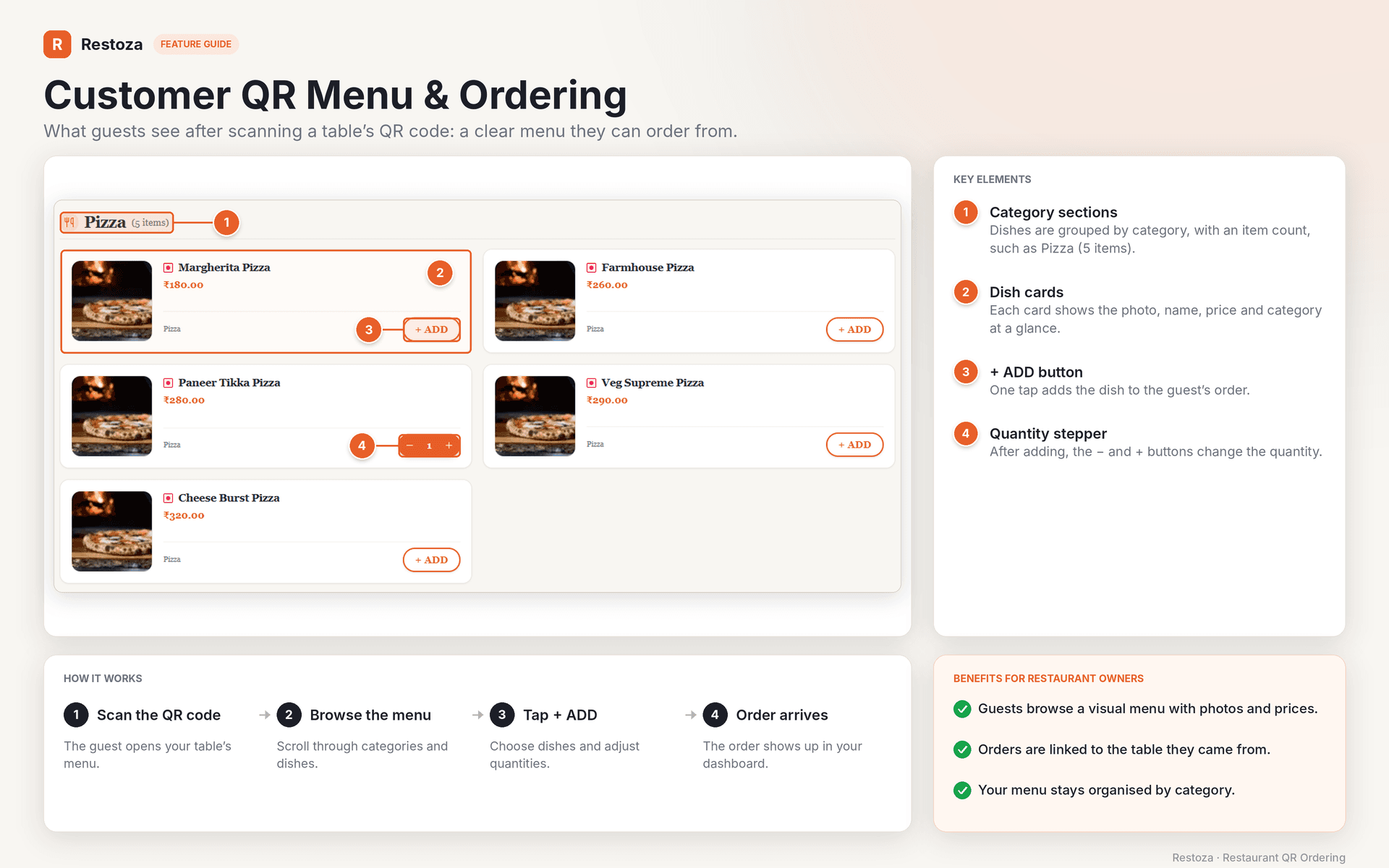
Customer QR Menu
Guests scan a table QR to browse and order from their phone.
Why choose Restoza?
The simple, reliable platform for taking your restaurant online.
Easy to Use
Simple and convenient restaurant management.
Faster Ordering
Customers can order directly through table QR codes.
Real-Time Updates
Receive and manage incoming orders efficiently.
Customizable Digital Menu
Customize the menu to match restaurant branding.
Centralized Management
Manage menus, tables and orders in one place.
Mobile-Friendly Experience
Access Restoza from mobile phones, tablets and desktops.
See how a digital order flows
A simple table-ordering experience for guests: scan, browse, choose, and complete the order from their phone.
Scan the QR code
Guests tap a table QR to open the menu instantly without an app.
Browse the menu
Dishes appear with clear labels, pricing, and enticing food imagery.
Add to cart
Customise quantities and send the order directly from the customer browser.
Simple, transparent pricing
One plan. No hidden fees. Start free for 15 days — no credit card needed.
No credit card required
Billed monthly after your 15-day free trial ends
Manual payment is subject to verification by our team. You can cancel anytime during the trial. No automatic charges. Pricing in Indian Rupees (INR).
Frequently Asked Questions
Everything you need to know about running Restoza.