Build and publish your branded digital menu
Create categories, add dishes with photos and prices, and customise the look of your menu. Publish it once and every customer who scans a table QR code sees it on their phone.
Menu builder flow
- Create categories to organise your dishes.
- Add dishes with names, descriptions, and prices.
- Upload photos so customers can see each dish.
- Publish — the menu is live for QR scanners.
What is the Digital Menu Designer?
The Digital Menu Designer is where you build the menu your customers see when they scan a table QR code. You create categories to organise your dishes, add each dish with a name, description, price, and quantity, upload photos, and choose whether each item is vegetarian or currently available.
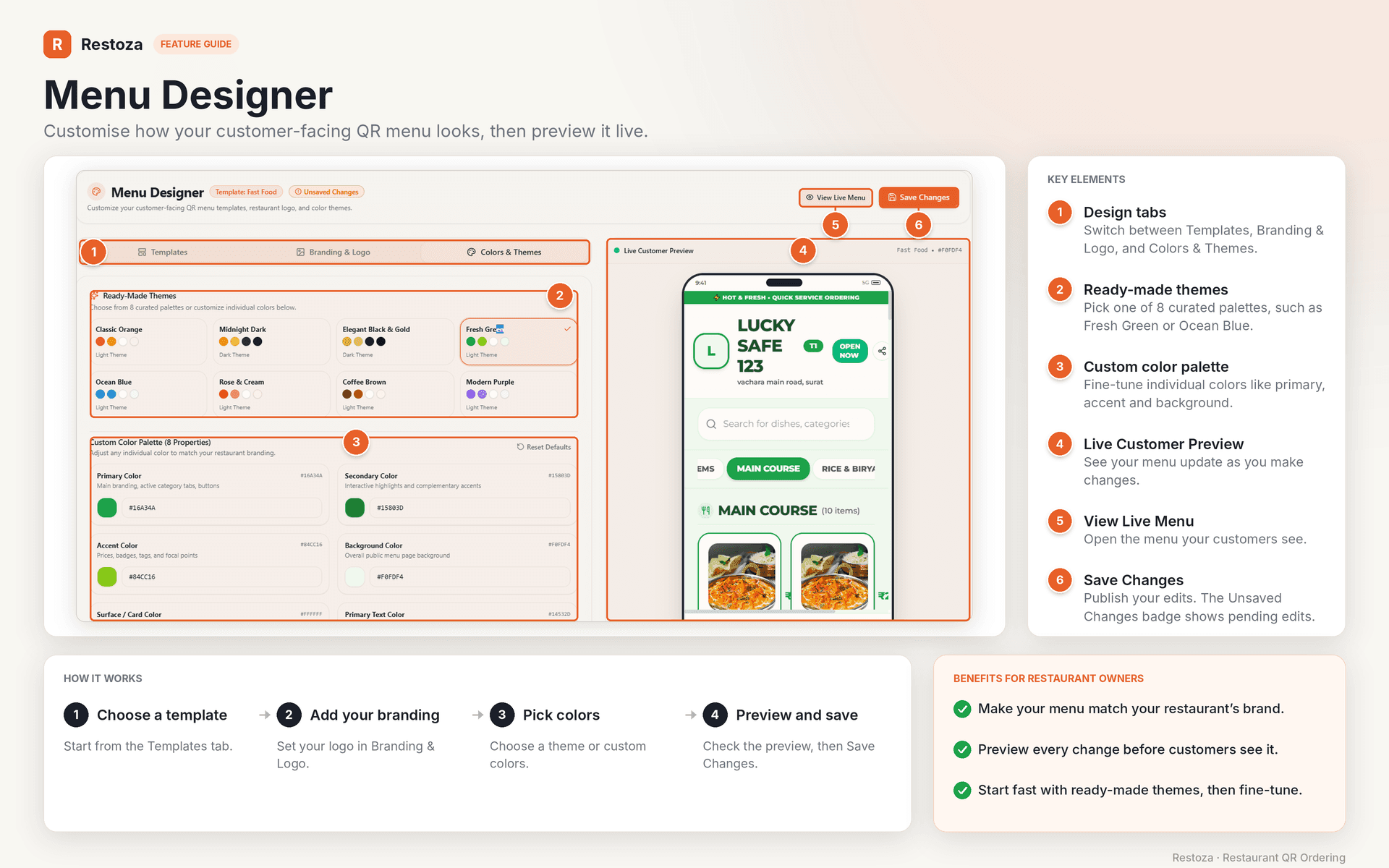
You can also customise the menu's appearance — colours, fonts, and layout — so it reflects your restaurant's branding. Once you publish, the menu goes live immediately for every customer who scans your QR codes.
What problem does it solve?
Printed menus are costly to change
Reprinting paper menus every time a price or dish changes is expensive and slow. With a digital menu, you update prices and availability instantly from the dashboard.
No photos means unsure customers
Paper menus rarely show photos, so customers may not know what a dish looks like. A digital menu with photos helps customers order with confidence.
How does it work?
Open the menu designer in your dashboard and start by adding categories such as Starters, Mains, and Desserts. Then add dishes to each category, entering the name, price, description, and quantity, and uploading a photo. Set each dish as available or unavailable, and mark vegetarian items. Choose your colours, fonts, and layout, then publish. Customers scanning any table QR code see your published menu on their phone.
Step-by-step: build your menu
Create categories
Add menu categories such as Starters, Main Course, Desserts, and Drinks to organise your dishes.
Add dishes
Enter each dish name, description, price, and quantity, and mark whether it is vegetarian or available.
Upload food photos
Add a photo for each dish so customers can see what they are ordering.
Publish your menu
Save and publish your design so customers can browse and order from it when they scan a table QR code.
Key benefits for restaurant owners
Your brand, your menu
Choose colours, fonts, and a layout that match your restaurant's identity.
Easy updates
Change prices, add dishes, or mark items unavailable anytime from the dashboard.
Instantly live
As soon as you publish, customers see the new menu when they scan a table QR code.
Related features
Pair the menu designer with these tools: